Upload without folder hunting
Choose the project, not the folder path.
Google Drive file management for project teams
Choose a project and upload. Flowless saves files in the folder assigned to that project and can notify your team. Find files again by project name or ID, without digging through Google Drive folders.
Sharing files should be simple.
It should be simple.
But in real teams:
“I thought you were putting it here!”
“We haven’t created that folder yet.”
“Only the previous manager knows where it is.”
“I didn’t know it had been uploaded.”
“Which version is the latest?”
More folder rules won’t solve everything. Take the guesswork out of where files should go.
Select a project and add the file.
Saved to the assigned folder—or a new one automatically.
Selected team members can be notified.
Find files later by project.
How Flowless Works
Upload first. Let Flowless handle the destination, notifications, and project-based file finding.
Search by project name or ID instead of navigating folders. No project yet? Enter a project name and upload anyway.
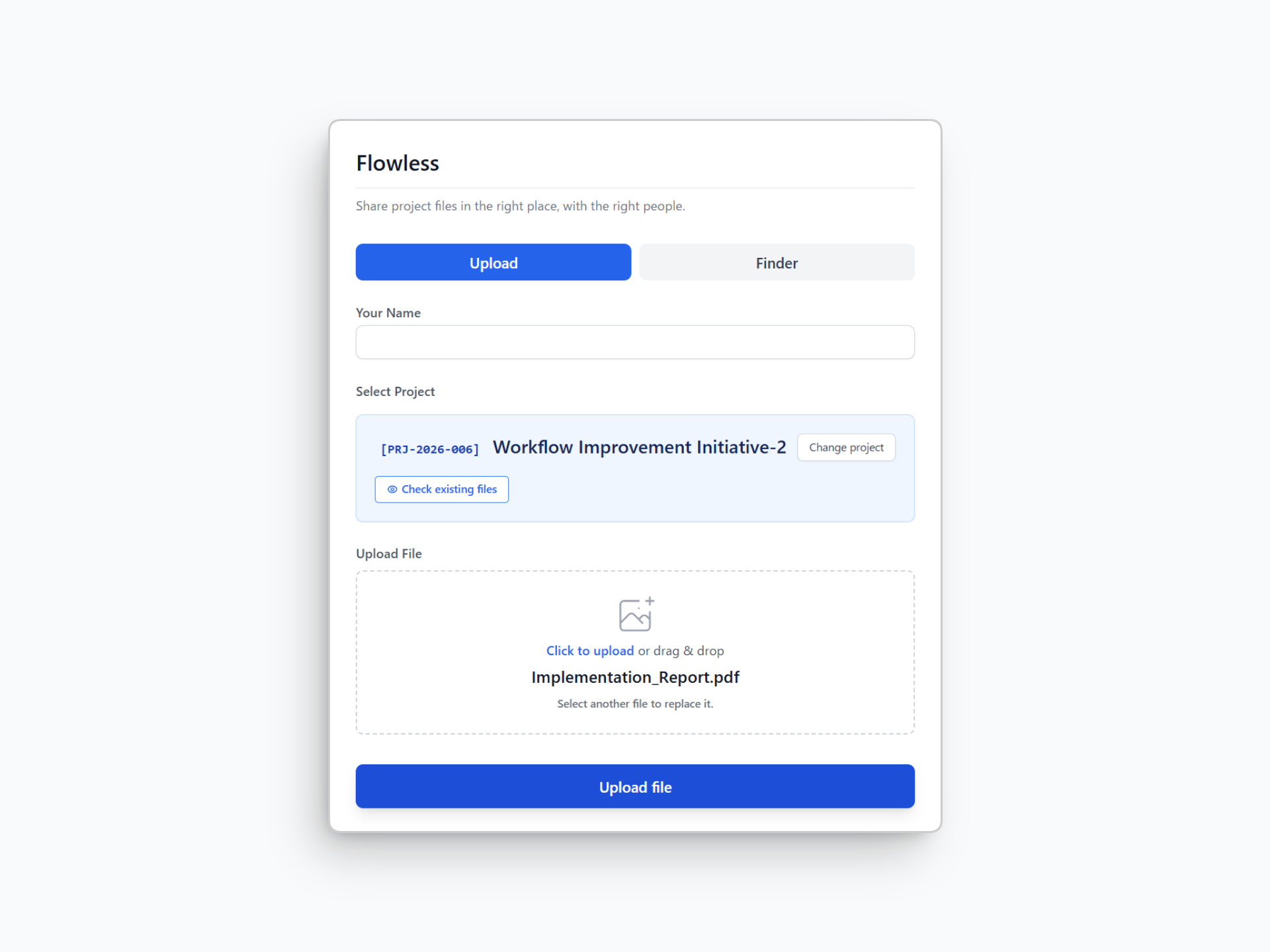
Upload the file to the selected project. Flowless uses the assigned Google Drive folder or creates a folder for a new project automatically.
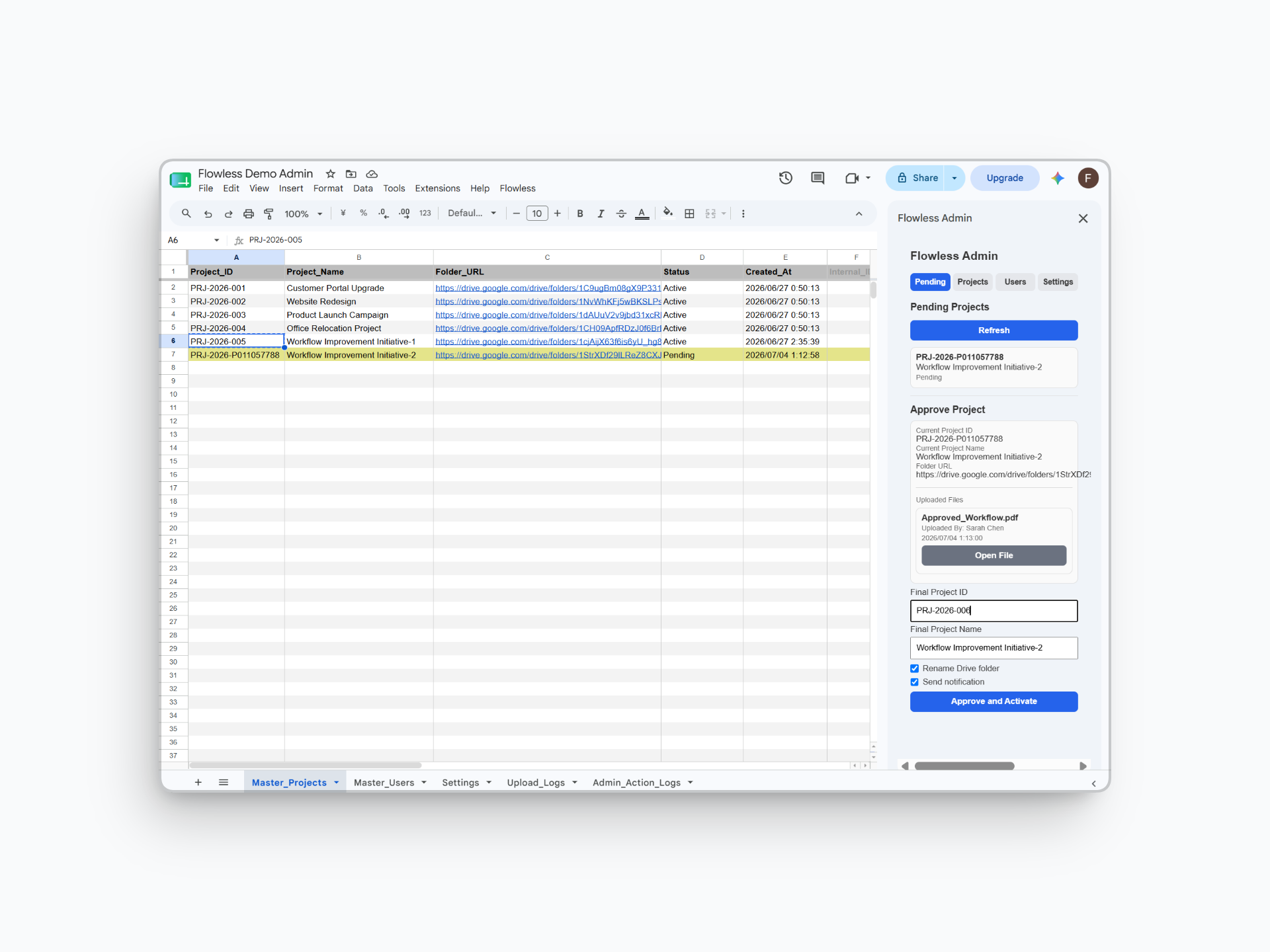
New projects are marked as pending. An administrator reviews and approves them before they appear in the active project list.
Team members configured to receive notifications can get an email when files are uploaded or projects are ready.
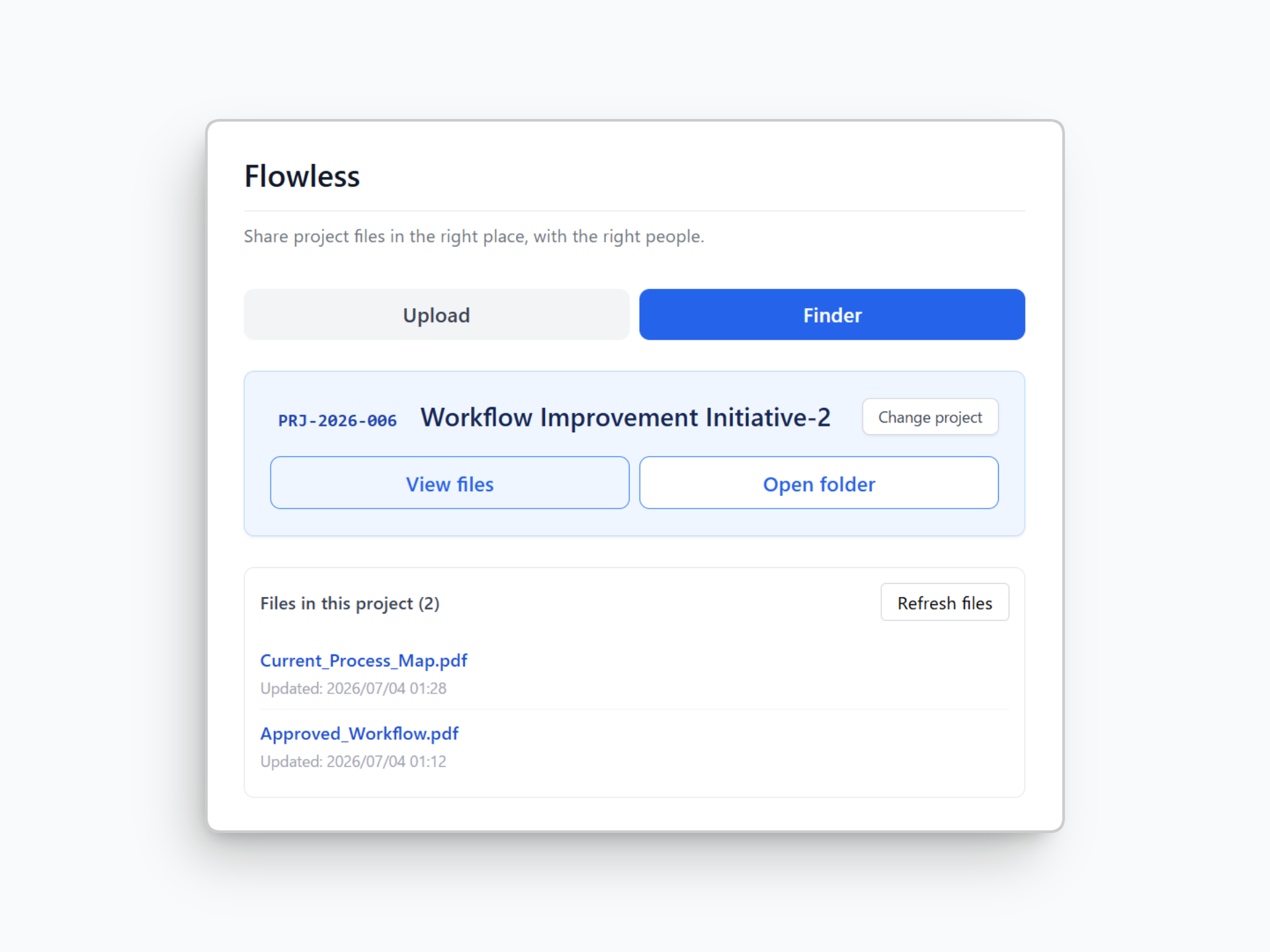
Search for the project in Flowless to see its files. No need to ask the uploader where they saved them.
See Flowless in action
Select a demo to see how Flowless handles uploads, file discovery, and new project review.
Features
Search by project name or ID. Flowless saves the file to the folder assigned to that project, without asking the uploader to navigate Drive.
Start a new project and upload immediately. Flowless creates its folder automatically, and an administrator can review and approve the pending project later.
Send email updates to team members selected to receive them. No separate “I uploaded it” message needed.
Search the project in Flowless to find its files without learning the Google Drive folder structure.
The idea behind Flowless
Not every detail is ready when a new project begins. Flowless lets your team upload files under a pending project while an administrator reviews the details later. Don't let an unprepared folder hold up your work.
Built with Google Apps Script and Google Workspace, Flowless adds a simple upload and file-finding interface to the Google Drive workflow you already use. Your files stay in Google Drive, organized by project.
From the workflow
Why better folder rules do not always solve the problem—and how a project-based upload point can keep files moving.
Spend less time looking for files. More time getting work done.